
Form factor and case customization
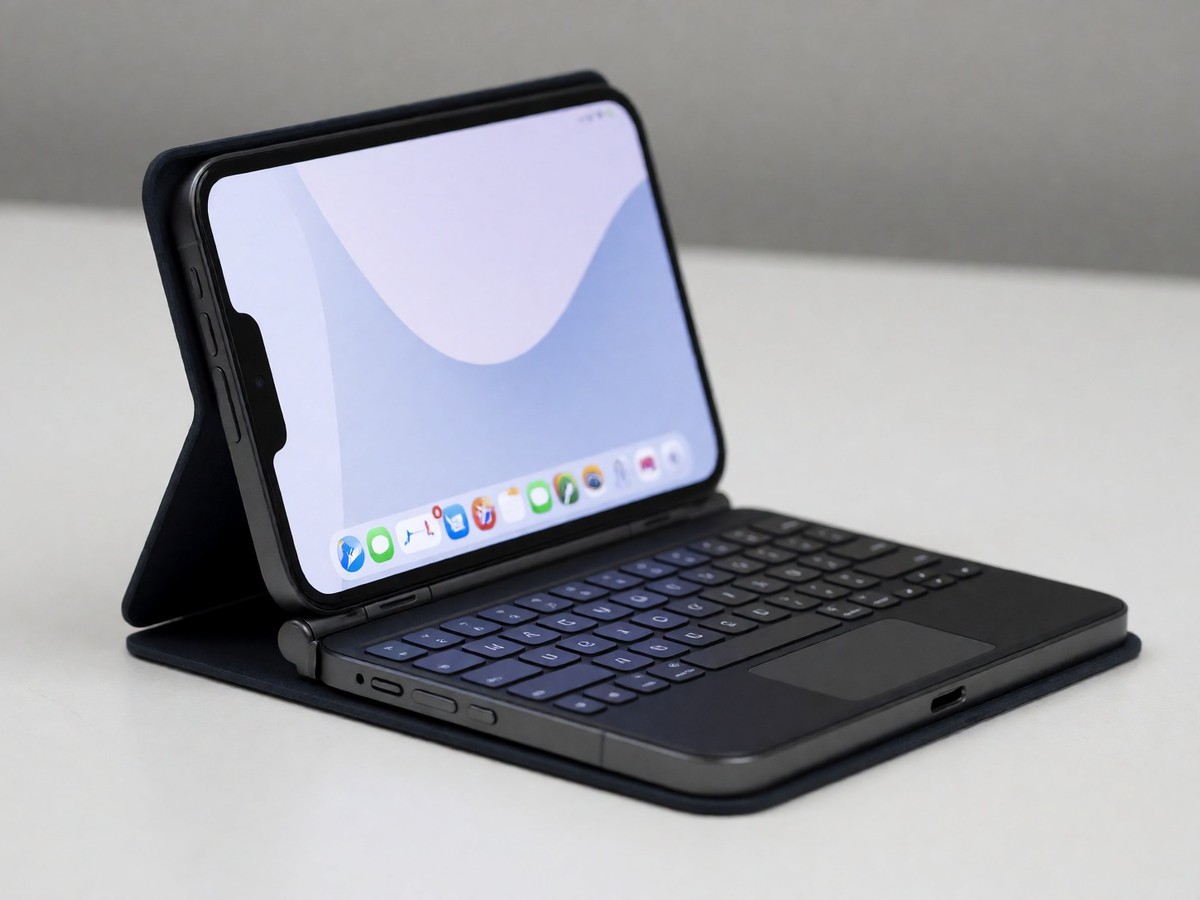
The iPhone Duo requires consumers to trade certain high-end features for a fundamentally different smartphone experience. Many users miss the telephoto lens found on the Pro Max, and while Apple released a face unlock feature in a recent software update, some still long for Face ID. Despite the weight, the phone feels small enough to cover with one hand or fit into a front or back pocket. When folded, the device acts like an iPhone mini, allowing a user to type with a thumb or reach the top and bottom of the screen easily. The iPhone Duo feels more like an iPhone mini when users are out and about, as the compact shape allows them to cover the screen with one hand or fit it into a pocket easily. For those who prefer one-handed use, the bottom edge rests on the pinky while the other three fingers cradle the back. The device also includes various third-party accessories, such as the Low-Pro Grip from PopSocket or the OhSnap grips, which help with handling. Apple produces cases in navy and taupe that include a built-in stand, though users seeking more variety can find cases that cover the hinge or include attachment points for straps and charms. Some cases even include pens or adhesive to stick to the outer screen. This variety allows the device to function as a fashion accessory, particularly for those who attach chains or charms to the side. Because the phone is small, users can carry it like a little purse, an option that appeals to young people who embrace whimsical, retro tech to express individuality. When the Duo is closed, users prefer to see only widgets on the small screen, while the only app icons on the Home Screen are those in the dock.
Multitasking and app optimization
Apple reported in mid-November that over 200,000 apps are ready for the Duo. Most daily apps now utilize the extra screen space, though Google apps like Gmail and Drive still show a black band on the side. The side-by-side multitasking mode allows a user to drag an app into a target box on either the left or right side of the screen. This feature enables a person to read news on X while watching real-time reactions on the other half of the display, a behavior that replaces traditional second-screen viewing. The Sofa app changes its layout based on whether the phone is open or closed; it uses a vertical bar for navigation when closed but switches to a two-column layout when unfolded. Spotify feels less cluttered on the larger screen, and TikTok now stretches video to cover the entire display when the device is closed. Some developers have created novelty apps, such as a note-taking app that opens like a notebook for the Apple Pencil, a retro Walkman-like music player, a tiny typewriter, or a game where a user closes the phone to make grilled cheese. The Netflix app provides a closed outer display mode along with laptop and tent orientations. Users can also use the device as an e-book reader, using the Kindle app’s page-turn animation in a landscape orientation where the screens bend inward. To prevent distractions, users can engage the "Do Not Disturb" focus mode while reading, and the matte inner screen reduces glare compared to a typical glossy OLED display.
Remote desktop and the tiny MacBook
Edovia’s update to the Screens app, version 5.10.6, turns the iPhone Duo into a tiny MacBook when users use it in a clamshell configuration. When a user folds the phone halfway, the Laptop Mode displays a remote desktop on the top half of the screen and a keyboard with a trackpad on the bottom. The keyboard supports multiple languages and lets users swipe down on keys to see alternative characters, much like the iPad. The trackpad supports all gestures used in the Screens app. This setup allows for remote desktop control in a pinch, but the digital keyboard is not a replacement for physical hardware during long typing sessions. Adam Mosseri said that designing Instagram to feel great for the device will be "pretty challenging" because the form factor is so unique. Because the device offers such a large screen when unfolded, it acts like a small iPad mini for reading or shopping. Users do not need a PopSocket to balance the phone because it can prop itself up like a tent. This software update provides a way to control a computer for the iPhone, iPad, another Mac, or even the Vision Pro.